
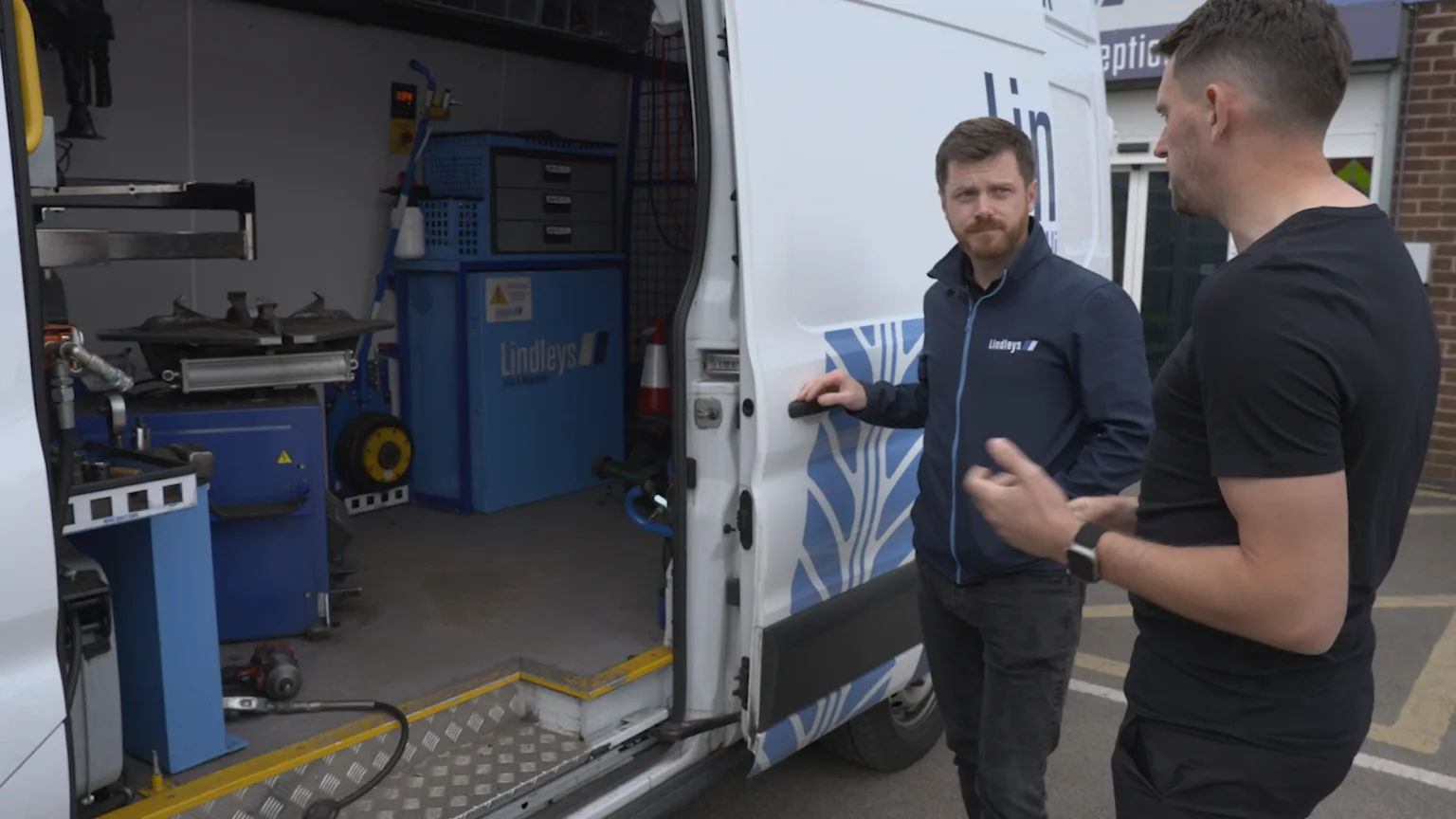
Garage Management Software for Mobile Mechanics: Run It All from Your Phone
A mobile mechanic runs a full workshop without the walls. There is no front desk, no service advisor, and no office to come back to at the end of the day. The "office" is the van, the phone, and whatever time you can grab between jobs.
That setup is brilliant for customers and brutal for admin. Quotes get scribbled on the back of an invoice pad. Payment gets chased by text three days later. A reminder that would have brought a customer back never gets sent because nobody had time to write it down. The work is never the problem. The paperwork is.
Garage management software (GMS) is meant to fix that, but most of it was built for a workshop with a back office and a desktop computer. LaunchControl is built to run from your phone, on the driveway, between jobs. This is what that looks like for a mobile technician.
Why Mobile Mechanics Need a GMS, Not a Notebook
When you are the technician, the service advisor, the parts buyer, and the accounts department all at once, every job carries a tail of admin:
- A customer asks for a quote and you promise to "send it over later"
- You finish a brake job, but the only record is a photo on your phone and a number in your head
- A service is due in six months and nothing will remind you, or them
- The invoice gets typed up at 9pm, from memory, with a part or half an hour of labour missed
- A new enquiry lands while you are under a car, goes to voicemail, and books someone else
None of these are disasters on their own. Together they are an hour or two of unpaid admin every evening, plus the work you quietly lose because something slipped. A GMS gives you one place where the booking, the job, the photos, the inspection, the estimate, the invoice, and the next reminder all live together, and it does it on the device already in your pocket.
Run the Whole Job from Your Phone
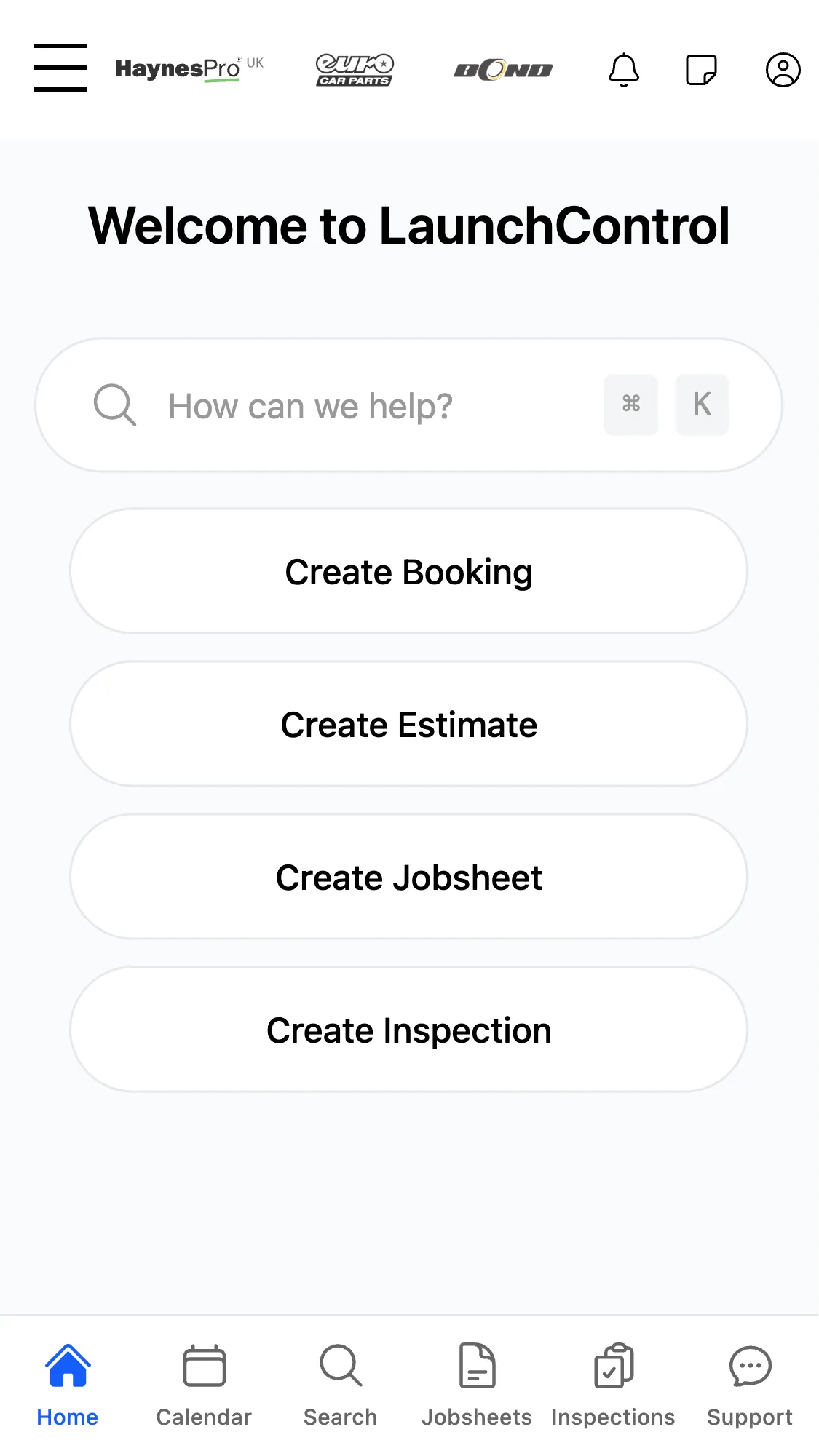
A mobile mechanic cannot carry a desktop to a customer's driveway. So the test for any GMS is simple: does it actually work on a phone, or is it a desktop tool with a cramped mobile view bolted on?
With LaunchControl you can create a booking, build an estimate, open a jobsheet, and start an inspection straight from your phone. The same screen that takes the booking is the screen that prices the work, records what you did, and produces the invoice. Nothing waits for you to get home to a laptop.
That matters most in the gaps. While the kettle is on at a customer's house, or while you wait for a part to be dropped off, you can quote the next job, send an estimate, or close off the one you have just finished. The admin happens inside the day instead of piling up for the evening.
Job Cards That Travel With You
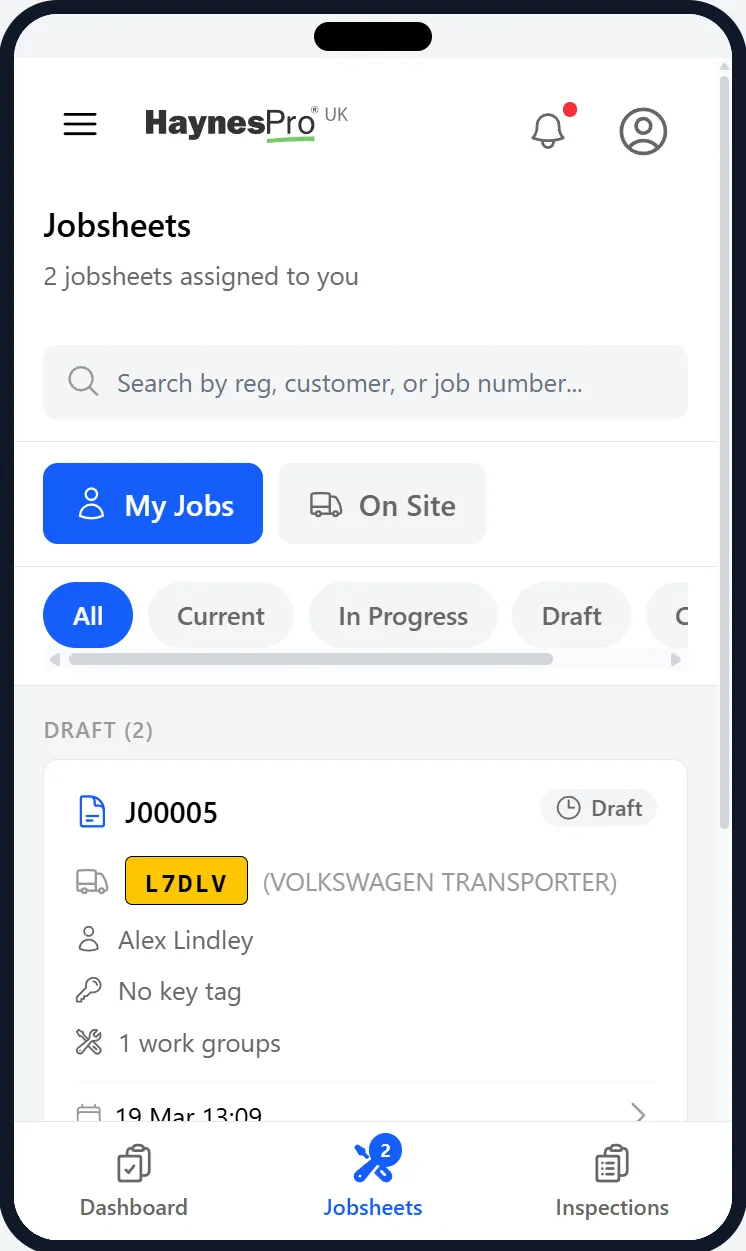
The digital job card is the centre of any GMS, and for a mobile mechanic it has to come to the job, not sit on a server back at a unit you do not have.
LaunchPad is the technician side of LaunchControl, designed for phones and tablets. You can see the jobs assigned to you, open the one in front of you, add notes and photos as you work, complete tasks, and run inspections, all from the device in your hand. A job booked through your website appears as a job card with the vehicle details and customer history already attached, so you arrive knowing the car before you have seen it.
Everything you record stays with the vehicle. Next time that customer calls, the previous visit, the photos, the advisories, and the recommended work are all there. You are not relying on memory or scrolling through your camera roll to remember what you found last spring.
Digital Inspections on the Driveway
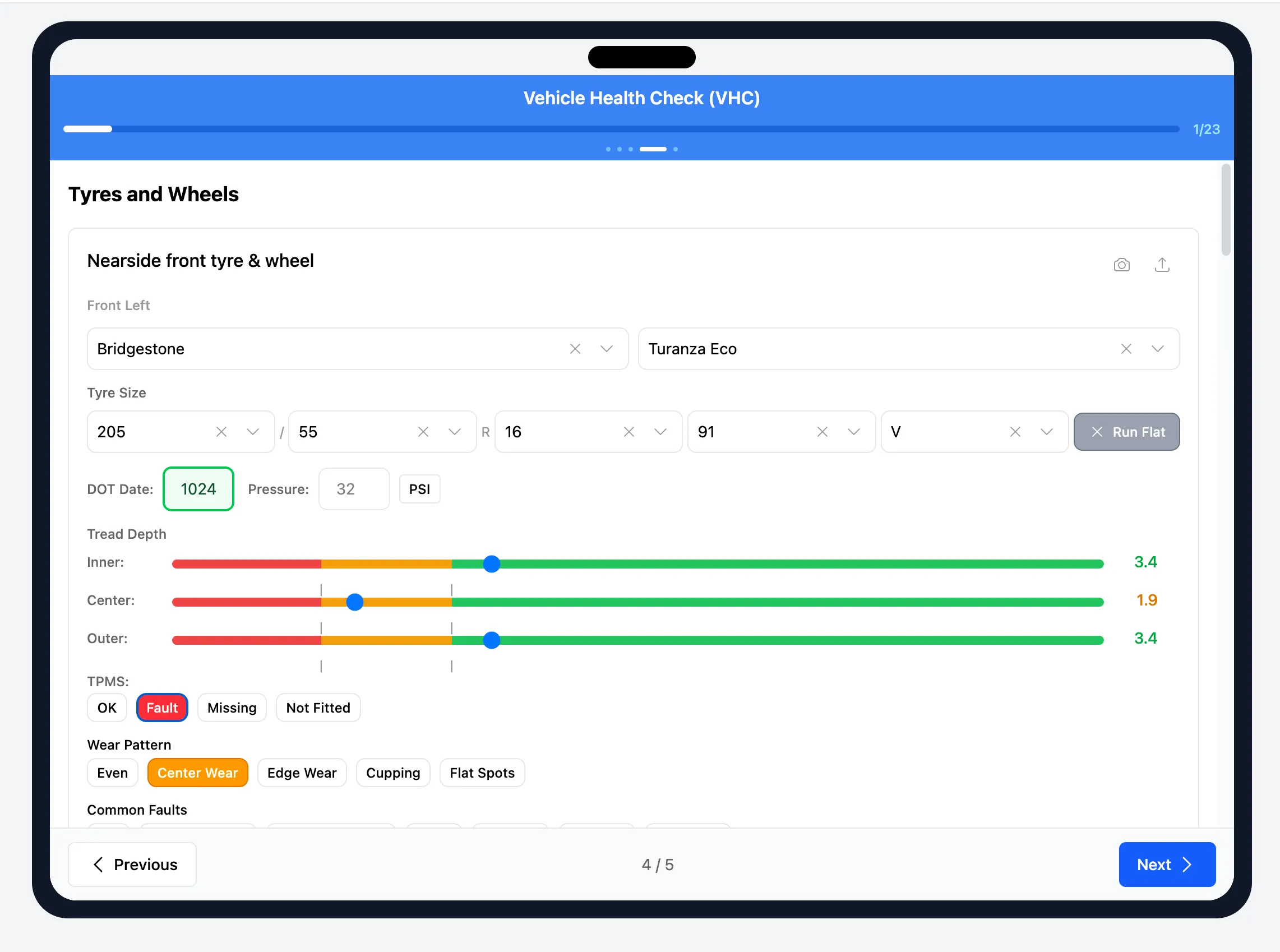
For a mobile mechanic, trust is everything. The customer is often standing right next to you, and the work you recommend has to be obviously honest. A digital vehicle inspection is the most effective way to show it.
Instead of telling someone their brakes are low, you show them: a photo of the worn pad, the tread depth, the corroded part, marked green, amber, or red on a structured checklist you complete the same way on every vehicle. The customer sees the evidence on their own phone and approves the work because they understand why it is needed, not because they were talked into it.
It also protects revenue you would otherwise lose. A mobile mechanic spots plenty of work the customer cannot have done today. Logged as advisories on the inspection, that deferred work becomes a record you can follow up later instead of a comment that is forgotten by the time you have packed up the van. Workshops that inspect with photos consistently see higher approval rates and higher average invoices, not from inventing work, but from catching and clearly communicating the work that is genuinely there.
Let Customers Book You Online
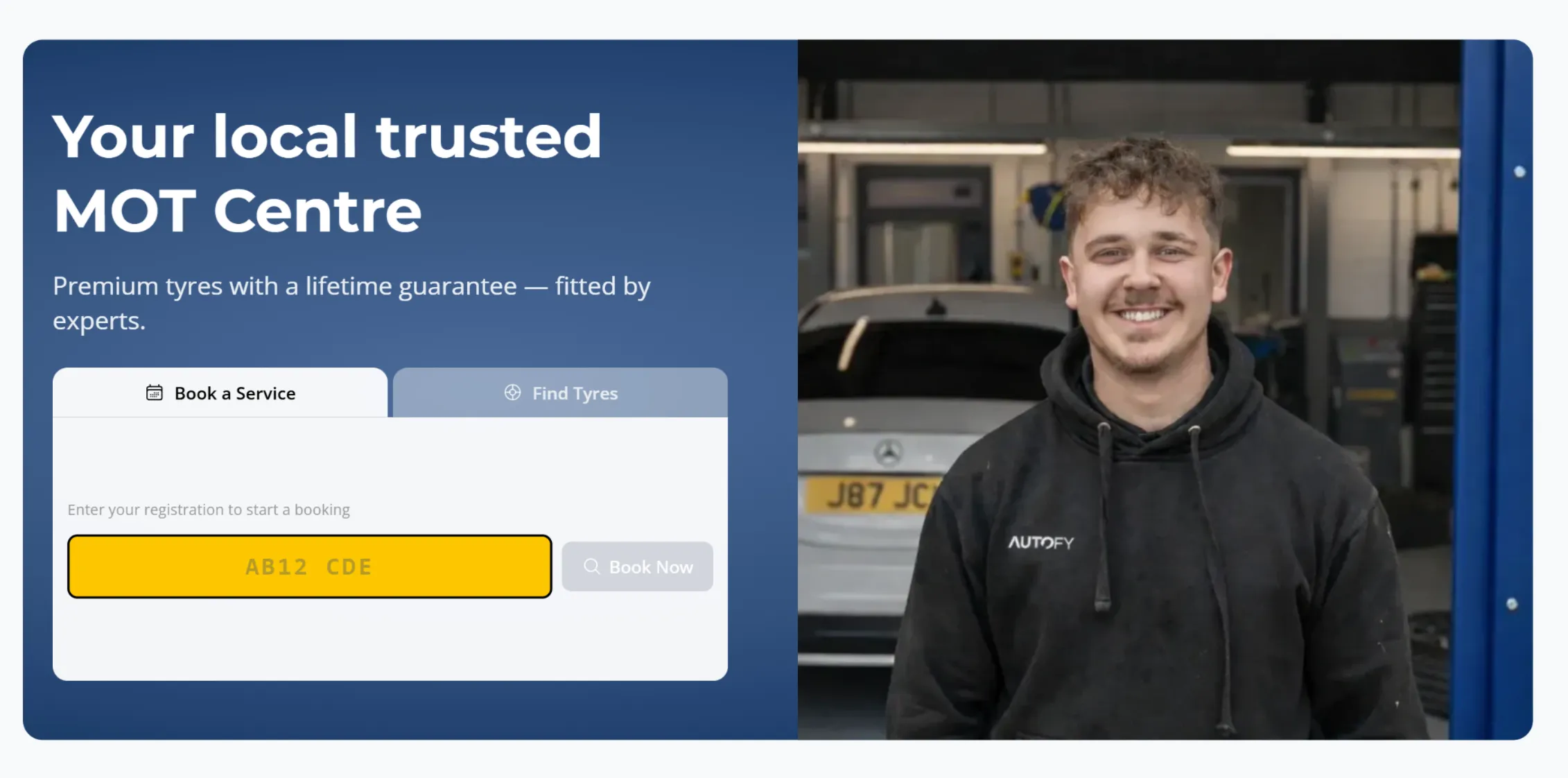
Your phone ringing while you are elbow-deep in an engine is not a booking system. Every call you cannot take is a job that might go to the next mechanic on the list.
LaunchBay gives you a workshop website with online booking built in. Customers can see your real availability and book a slot at 10pm on a Sunday without you lifting a finger. Because booking connects to your diary, you are not double-booking yourself across two postcodes at once, and every booking lands as a job card ready to go.
It also makes a one-person operation look as professional as a main dealer. A clean website with a registration-lookup booking form tells a new customer you are organised and serious, before you have turned a single spanner.
Price Up Jobs Fast with Live Parts Prices and Repair Times
A mobile mechanic often has to quote at the kerbside while the customer waits. Guess the parts price or the labour time and you either lose money or lose the job. Two integrations turn that guesswork into a quick, accurate estimate, built on your phone before you have packed the tools away.
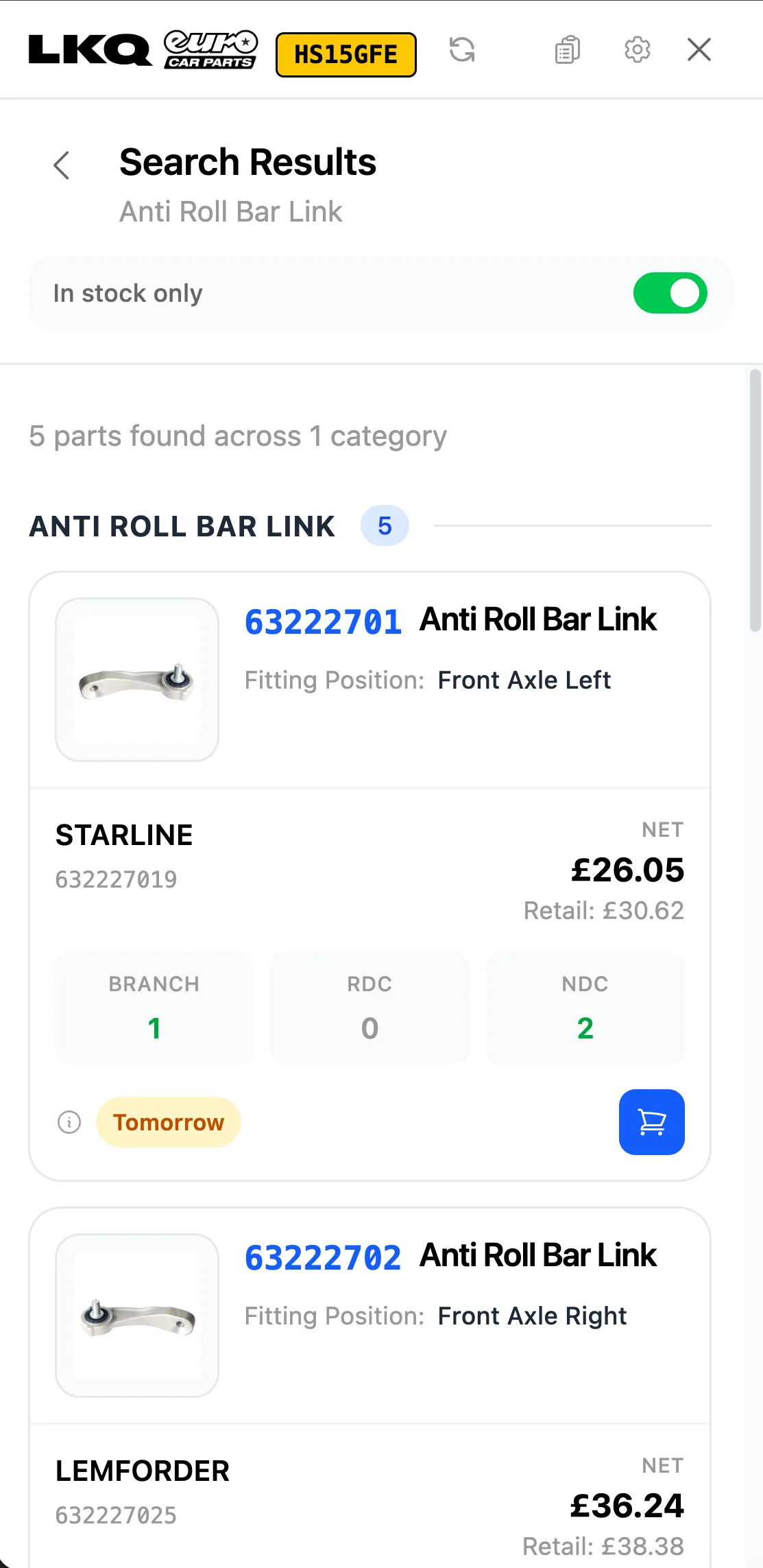
With the LKQ Euro Car Parts integration you search the catalogue by registration straight from the estimate, see live stock and real net pricing, and drop the right part onto the quote in a couple of taps. You can see what is in stock and when it will land, branch today or depot tomorrow, before you promise the customer a day. No ringing round the factor, no logging into a separate portal, no working from an out-of-date price list.
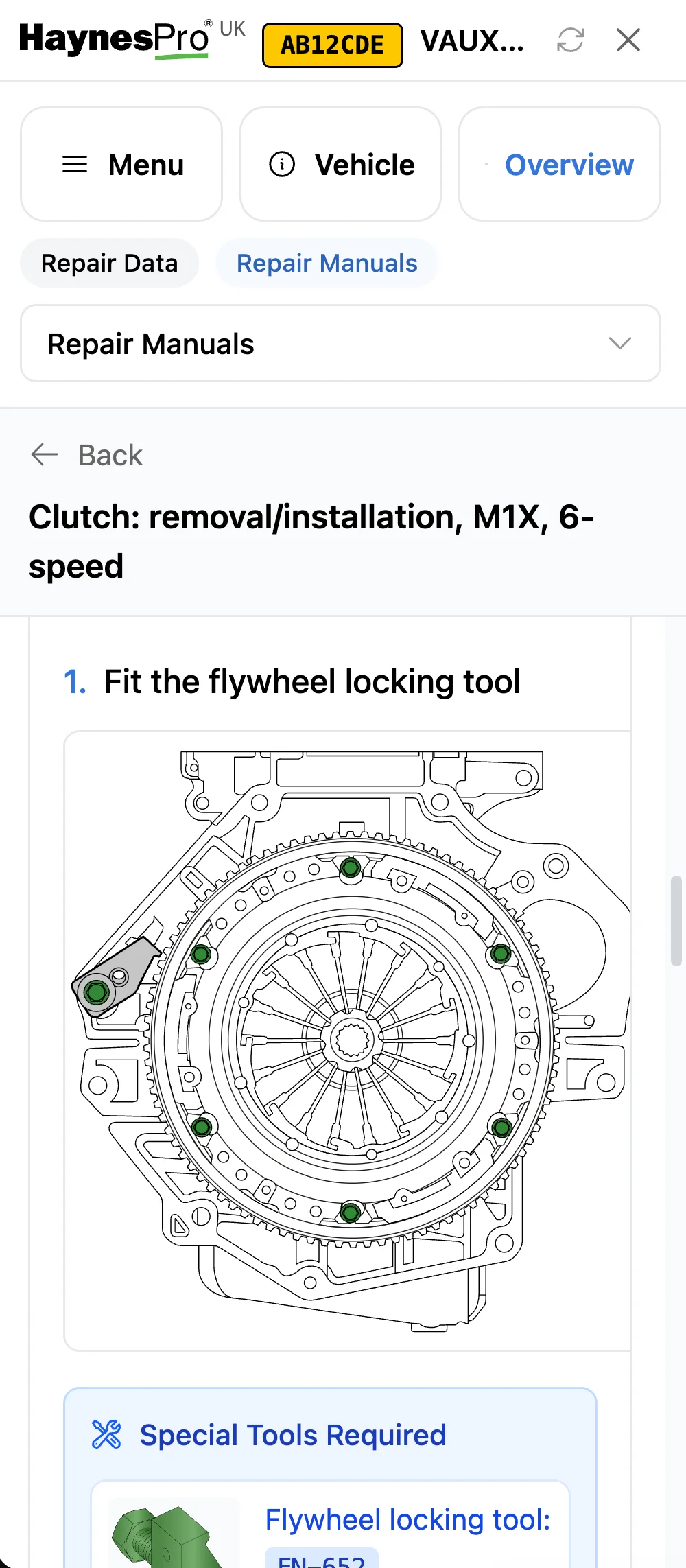
For the labour side, the HaynesPro integration gives you manufacturer repair times, service schedules, and full technical data for the same vehicle. Instead of guessing how long a clutch or a cambelt will take, you pull the actual repair time and price the labour properly. The same data follows you onto the job: step-by-step manuals, torque figures, and component locations on your phone, right where you are working.
Put together, ECP pricing and HaynesPro repair times let you build a complete, accurate estimate in minutes while you are still standing next to the car. The customer gets a professional quote on the spot instead of "I'll work it out and text you later," and you are not the one absorbing the cost when a job runs longer than you guessed. HaynesPro and your ECP trade account are separate subscriptions with their own sign-up.
Estimates, Approvals, and Getting Paid
Chasing approval and chasing money are two of the biggest time-drains in a mobile operation. A GMS removes most of it.
You build the estimate from the job card and send it. The customer approves it from their phone, and the approval is recorded against the job, with no "did you get my text?" back-and-forth. When the work is done, the invoice is created automatically from the completed jobsheet, with the approved labour and parts already on it, so nothing is missed and nothing is typed twice at the end of a long day.
Payment can happen on the spot. With card payments through Dojo and accounting handled by your Xero connection, you take the money before you leave the driveway and the books update themselves. No invoices going stale, no awkward chase three weeks later.
Reminders That Bring the Round Back
The difference between a busy mobile mechanic and a quiet one is usually repeat work. Services, cambelts, brake fluid, air conditioning, tyres, and seasonal checks all come around again, but only if someone remembers to get in touch.
LaunchControl tracks these and sends automated service reminders by email or SMS, with a booking link so the customer can rebook in a couple of taps. MOT reminders work the same way: even though you cannot test on a driveway, reminding a customer their MOT is due keeps you front of mind for the service and repairs around it. Every reminder that lands is a job you did not have to go out and find.
Parts Without the Detour
Running back to the motor factor mid-job kills your schedule. Once a job is approved, the same LKQ Euro Car Parts integration lets you order the parts straight from the job card and have them delivered, so you are not breaking off to queue at the trade counter. For regular ordering volumes, ECP rebates can cover the cost of your subscription, which makes the software close to free for a working mobile mechanic.
One Subscription, Built for Solo Operators
LaunchControl is built for independent garages, tyre fitters, solo operators, and mobile mechanics, not enterprise workshops with an IT department. Everything above comes in one subscription:
- LaunchControl for the diary, job cards, customers, estimates, invoicing, reminders, and integrations
- LaunchPad for running jobs, photos, and inspections from your phone or tablet
- LaunchBay for your website, online booking, customer portal, and estimate approvals
- Apollo AI to find a record or create a customer, vehicle, booking, or jobsheet in seconds, just by asking
Pricing is a flat monthly subscription per location, with unlimited users, no setup fee, no per-seat charges, and no long contract. If you start solo and take on a mate next year, your software does not punish you for growing. Some third-party services, such as SMS, postcode lookups, supplier accounts, payment providers, accounting software, or technical data licences, may have their own costs or account requirements.
Start with One Job
You do not need to build a perfect system before you start. Take the next job that comes in:
- Take the booking, or let the customer book it online
- Open the jobsheet on your phone
- Run the inspection and add photos
- Send the estimate and record the approval
- Complete the work and create the invoice automatically
- Take payment before you leave
- Set the next reminder
Do that once and you will feel the difference: the day ends when the last job ends, not when the paperwork is finally done. For the bigger picture on choosing and rolling out a system, our guide to garage management software walks through it step by step.
LaunchControl is garage management software built to run from your phone: job cards, inspections, online booking, estimates, invoicing, reminders, and parts ordering in one subscription. Start your free 28-day trial and run your next job, start to finish, from the driveway.